Encourage Balanced Technology Use
Prioritize wellness & mental health, partner with parents, build social skills, and protect the unique benefits of in-person relationships.
Vail School District · Tucson, Arizona · EdTech Award Nomination
Responsibly Implementing AI to Elevate Student Engagement & Higher-Order Thinking Across Vail School District
A values-driven approach to integrating MagicSchool AI across 23 schools and 15,000 students — preparing learners for an AI-integrated future while keeping implementation safe, ethical, and pedagogically sound.
"We are continually improving. We are never content with the status quo. We live in a changing world and respond to those changes."— Vail Guiding Principles
The Challenge & Our Approach
Rather than reacting to AI with bans or top-down mandates, Vail built a deliberate, multi-year foundation. Beginning in 2023–24, we engaged 80+ stakeholders — parents, community members, administrators, teachers, and technology staff — to write our Common Technology Values. In 2024–25 we focused on teacher use and ran a formal RFP; the Governing Board approved MagicSchool in April 2025. The phased student implementation timeline launched in August 2025.
Every decision is filtered through community-prioritized values, paired frameworks for teachers and students, and a phased, site-directed rollout that keeps all 23 schools moving through the same sequence at a pace they can sustain.
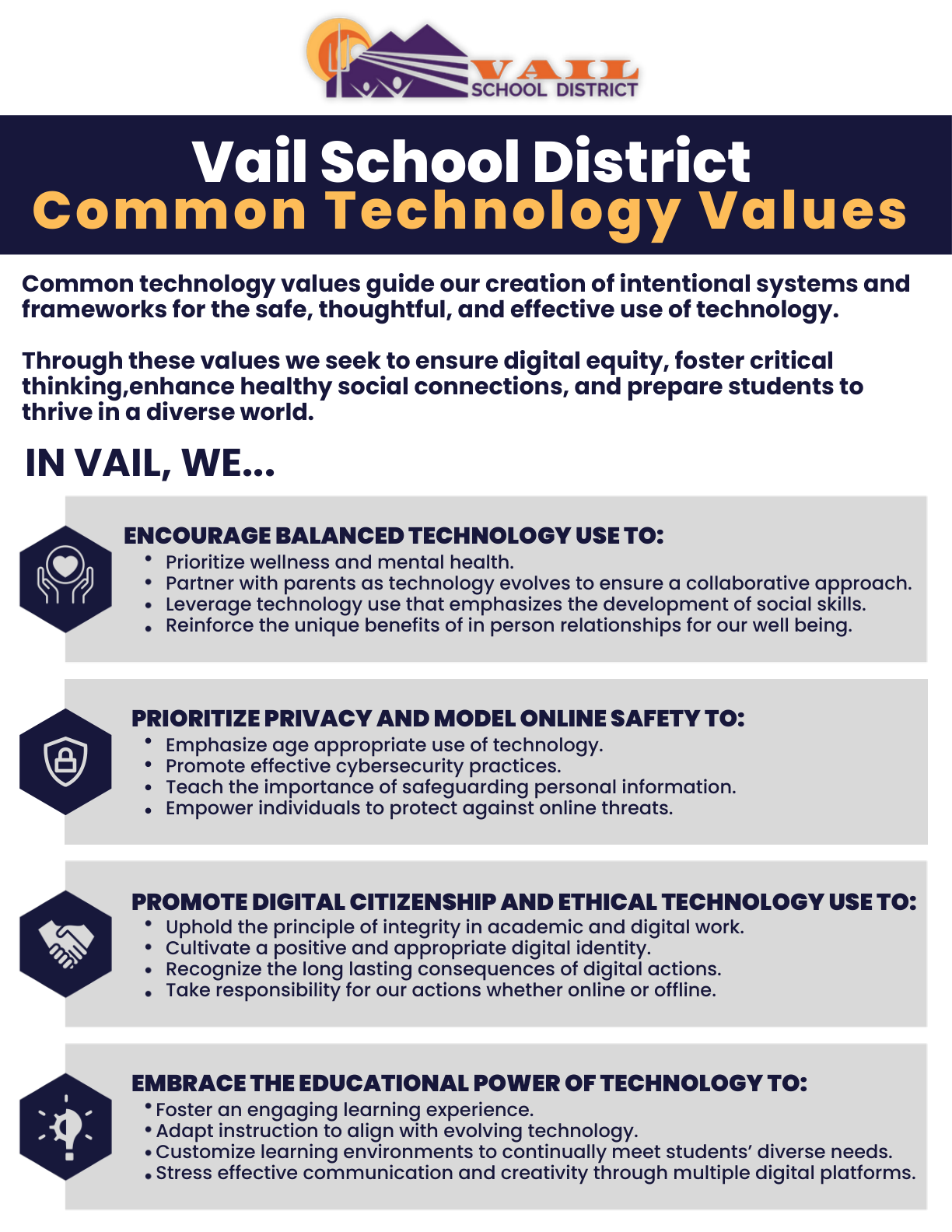
Built on Community Values
Developed by 80+ stakeholders and approved by the Governing Board, these values are the lens for every AI decision. As Assistant Director of Educational Technology Rita Boyd put it: "When your values are clear to you, making decisions becomes easier."
Prioritize wellness & mental health, partner with parents, build social skills, and protect the unique benefits of in-person relationships.
Age-appropriate use, strong cybersecurity, safeguarding personal information, and empowering everyone against online threats.
Uphold integrity in academic work, cultivate a positive digital identity, and take responsibility online and offline.
Foster engaging learning, adapt instruction to evolving tools, and customize environments to meet students' diverse needs.
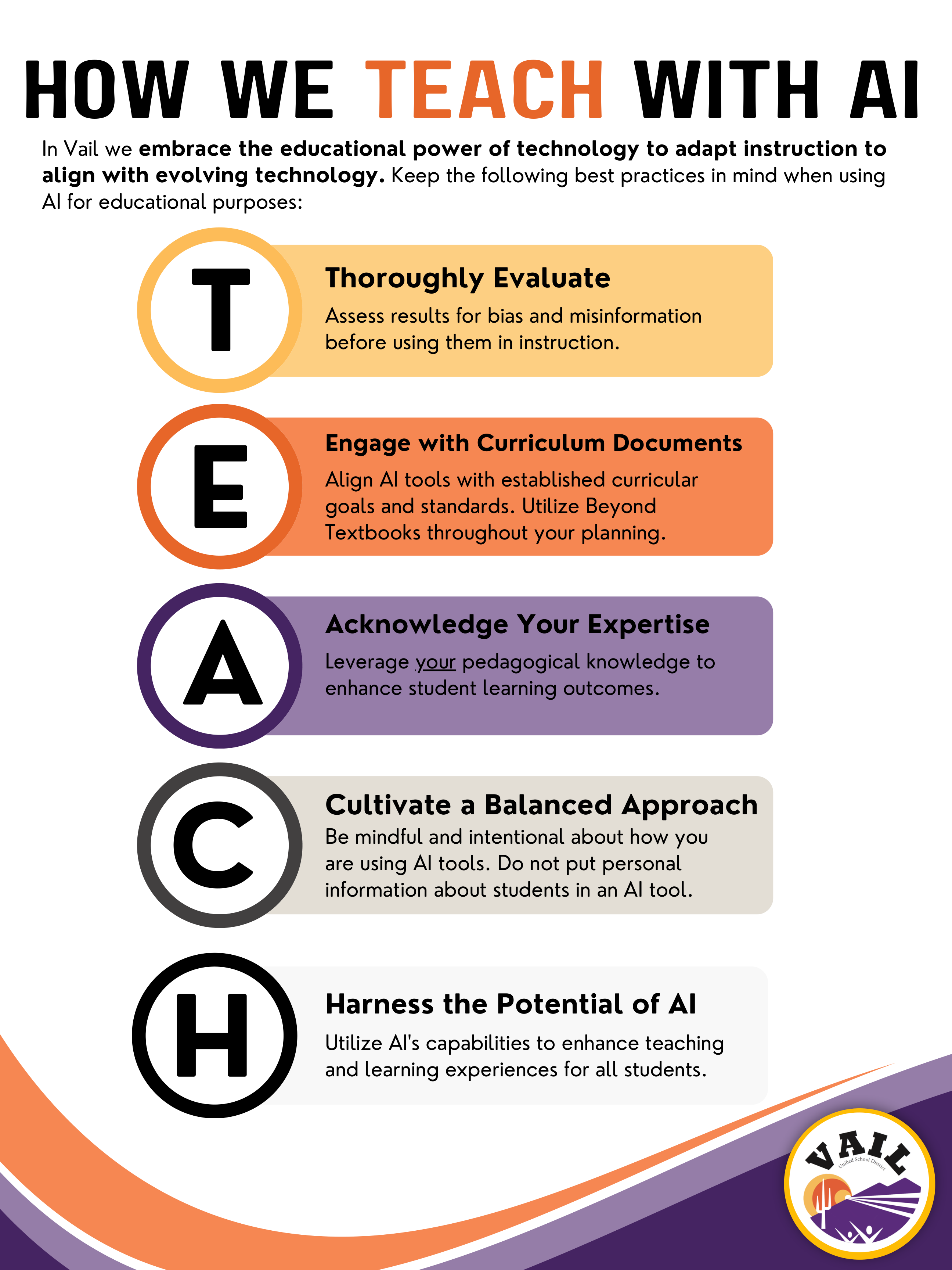
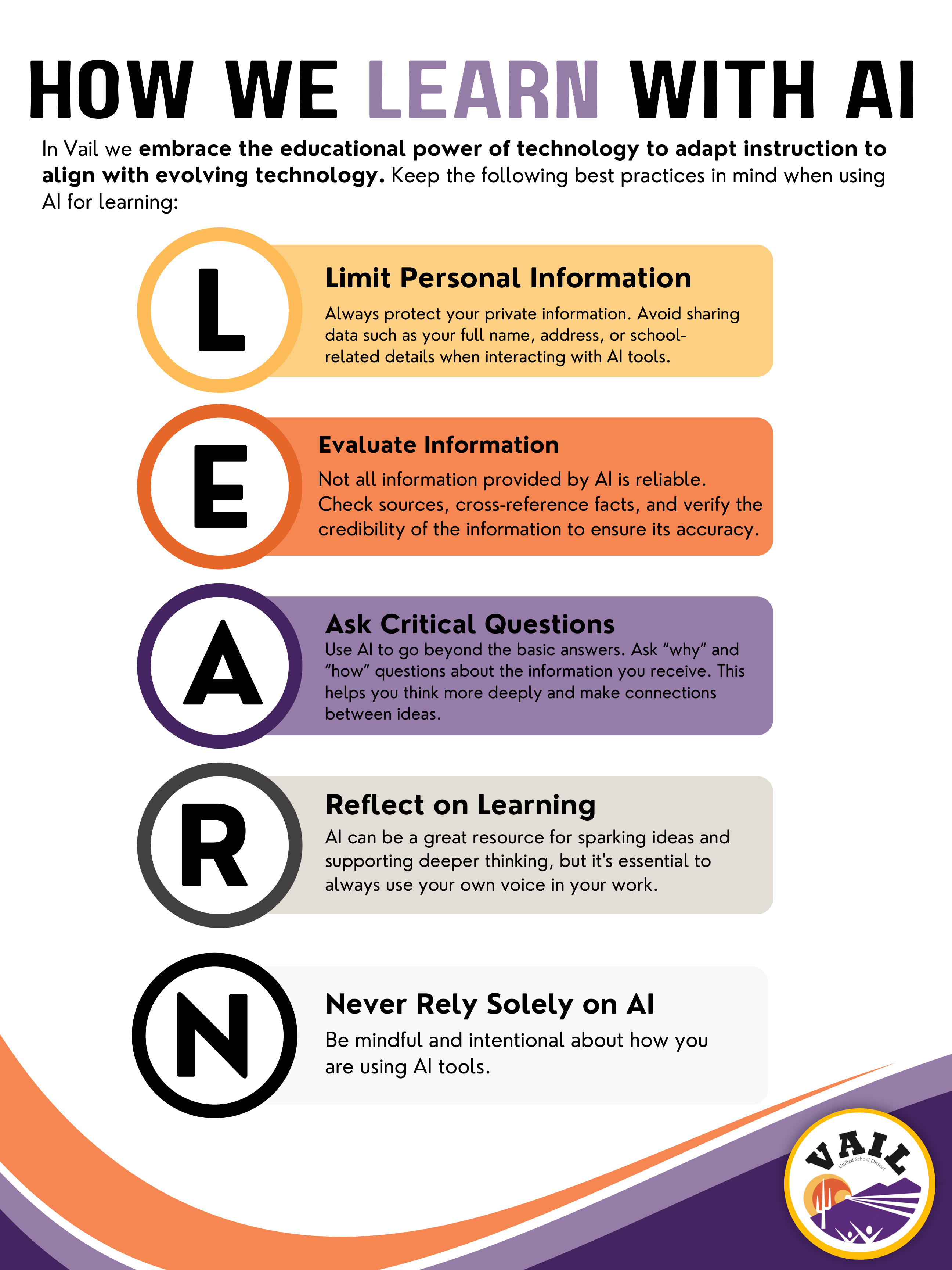
A Dual Framework Approach
Parallel frameworks create a shared language K–12 — adults model the behaviors we expect from students. Teachers consistently noted how closely TEACH mirrors our Common Technology Values.
An intuitive traffic-light metaphor gives students clear, consistent expectations regardless of teacher, subject, or grade.
AI is not allowed — the default for all assignments.
AI allowed under specific teacher-approved conditions.
AI is the assignment itself.
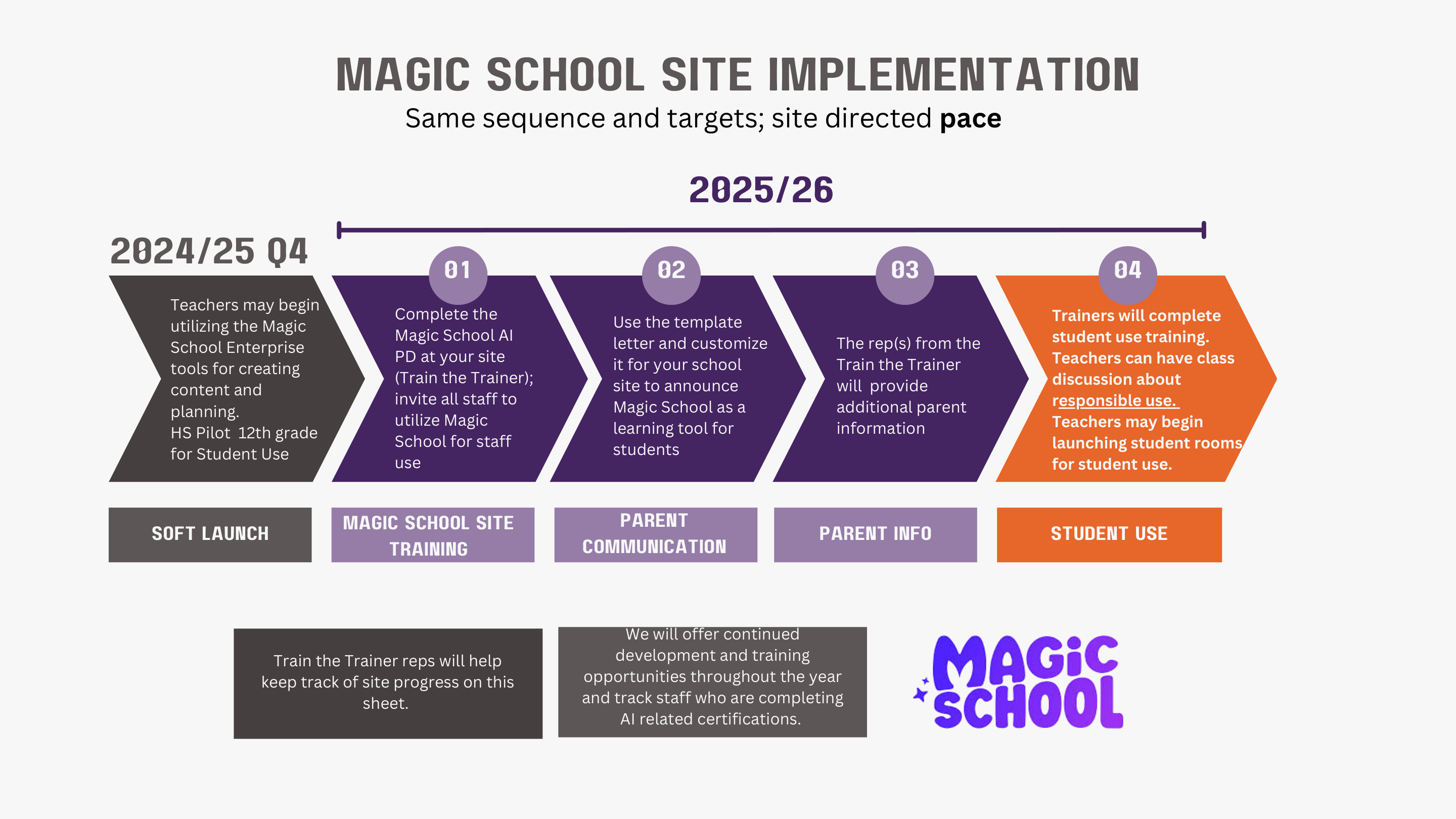
Train-the-Trainer PD at each site; all staff invited to use MagicSchool.
District template letters, customized per school.
Site reps host information sessions for families.
After training, teachers launch student rooms.
Curriculum Integration
Our Curriculum Management Team — one teacher per school, every grade band represented — built and submitted standards-aligned, AI-enhanced lessons spanning ELA, Math, Science, Social Studies, World Languages, and electives. Each is evaluated on a rubric: Active Participation, Student Collaboration, Intentional AI Use, and Promotion of Higher-Level Thinking.
Spanish AR-verb & formal/informal greeting practice where students get immediate AI feedback (Desiree Rojas).
Students trace and evaluate claims, reasoning, and evidence in a text (Megan Lotti, std 6.R.RI.08).
Predicting how forces act at a distance and the kinetic theory of states of matter (Cherry Gok-ong).
Causes of conflict and unity/disunity in a diverse society — AI as a debate partner for building rebuttals (Matthew LaMunyon).
Multiplying fractions and mixed numbers using multiple representations (Carri Rios, 5.M.NF.B.06).
Decoding multi-syllable words by syllable type, with the teacher modeling responsible AI use (Lindsey Anderson).
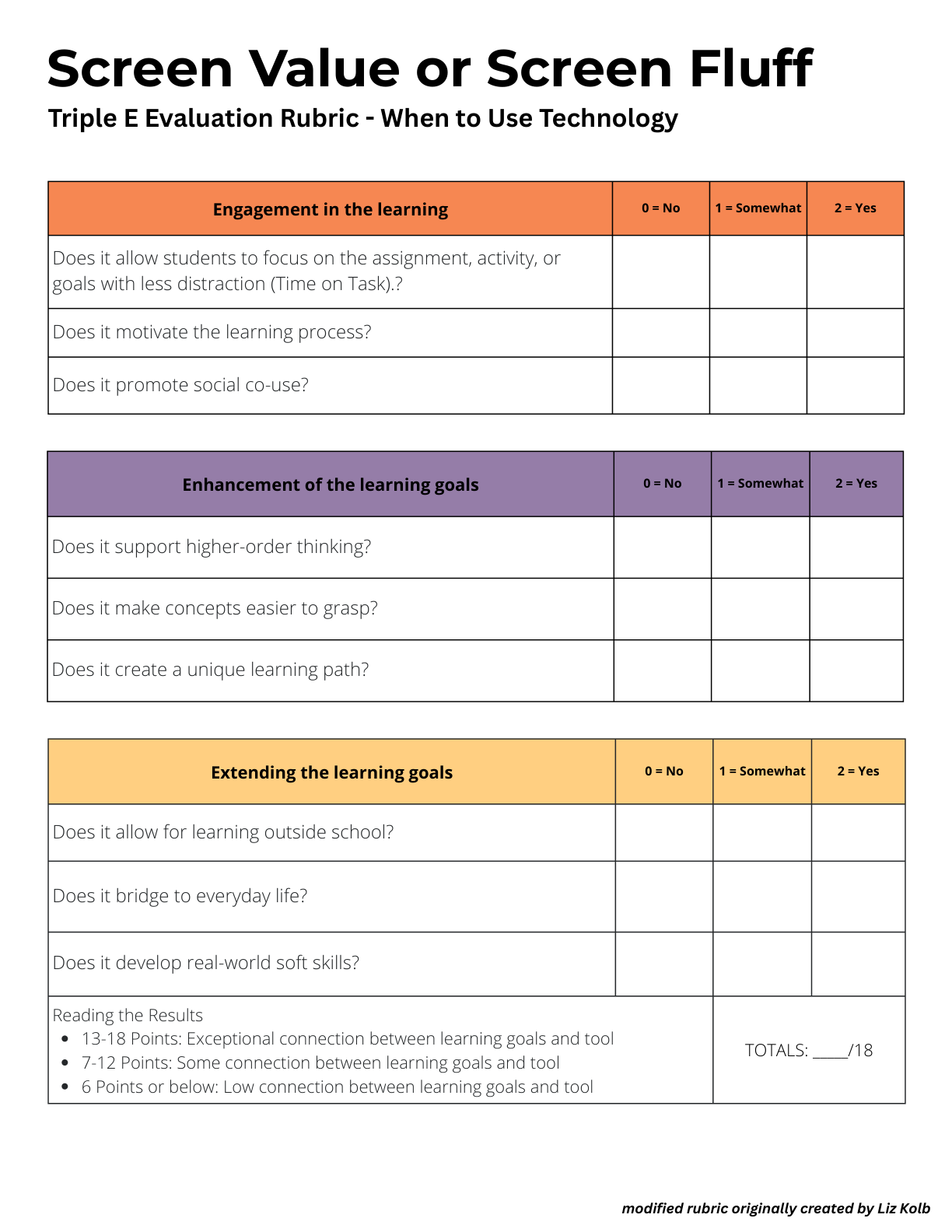
We shifted from measuring screen time to screen value — "the quality of engagement matters more than the quantity of time." The Triple E rubric (Engagement, Enhancement, Extension) scores integration out of 18: 13–18 signals an exceptional connection between learning goals and tools.
End-of-year survey results from the CMT teachers who piloted AI-enhanced lesson design across every grade band.
"Learning how to incorporate AI with my students."— CMT teacher, on the most impactful part of the experience
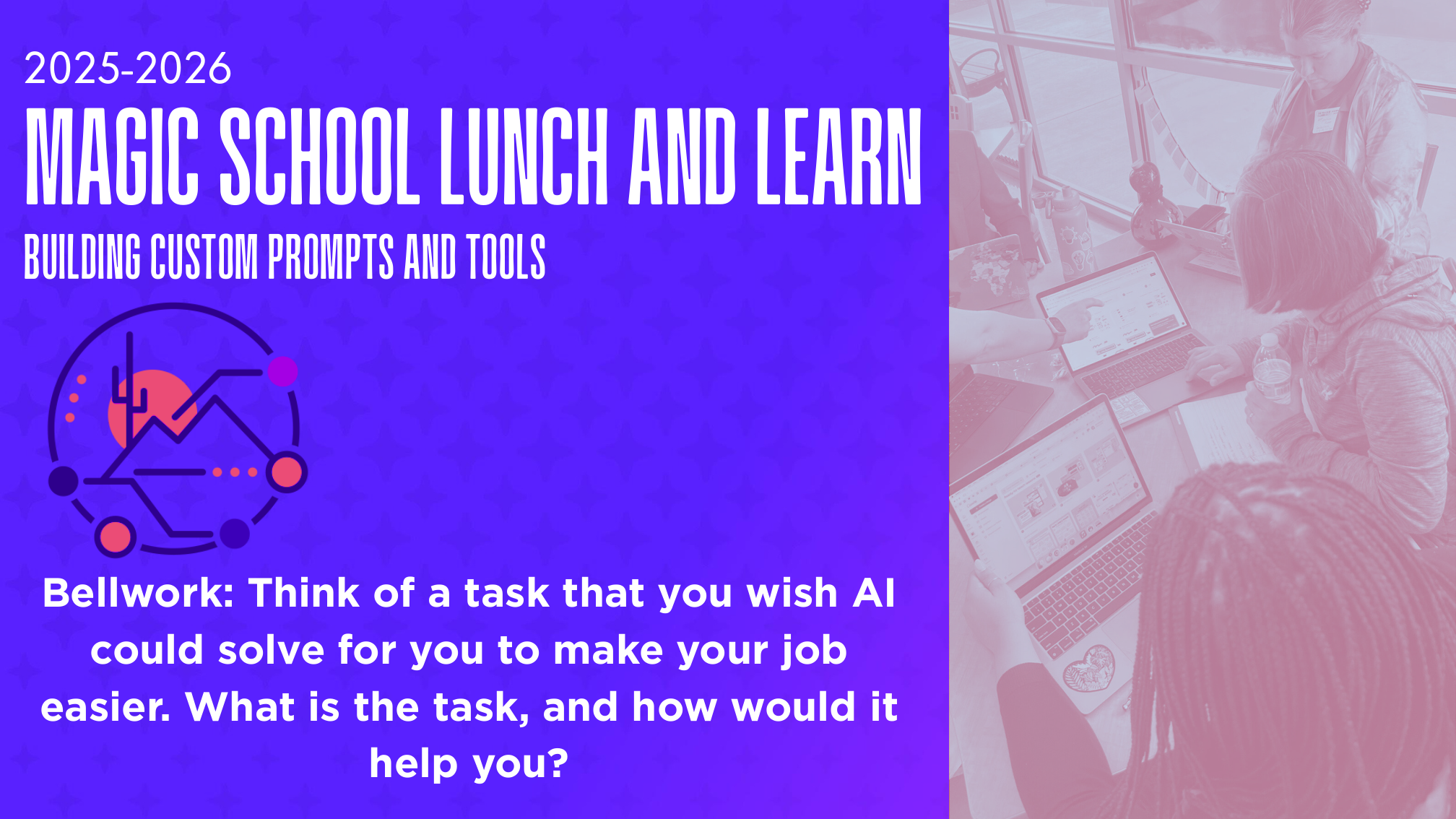
Beyond off-the-shelf features, our team built 10 enterprise custom tools inside MagicSchool, aligned to our instructional model and standards — from EEI lesson planning and Marzano strategies to CogAT ability-profile differentiation and student-data privacy review. We then ran hands-on workshops throughout the year so staff could build and adapt tools for their own work.
Generates an EEI lesson plan for the objective you're teaching.
Evaluates your lesson for student processing opportunities.
Increases student response rates in a lesson plan.
Creates two engaging missions aligned to the Highly Proficient standard.
Generates questions by topic or standard for each level of Bloom's Taxonomy.
Generates strategies from a student's CogAT Profile A, B, or C that build on their strengths.
Generates strategies from a student's CogAT Profile E that build on their strengths.
Evaluates websites and applications for compliance with student-data privacy.
Turns uploaded notes into a comprehensive summary to share or keep.
Creates an agenda for your next meeting.
Measurable Impact
1,172 teachers generated 116,891 AI outputs for lesson planning, content creation, and differentiation.
Top category adoption: Instructional Materials (80% of teachers), Chatbots (72%), Admin tools (71%).
208 teachers launched 744 rooms, generating 247,000+ student interactions across 27,283 sessions — averaging 25 days of use.
The AI Tutor alone provided 12,601 personalized support interactions outside traditional classroom hours.
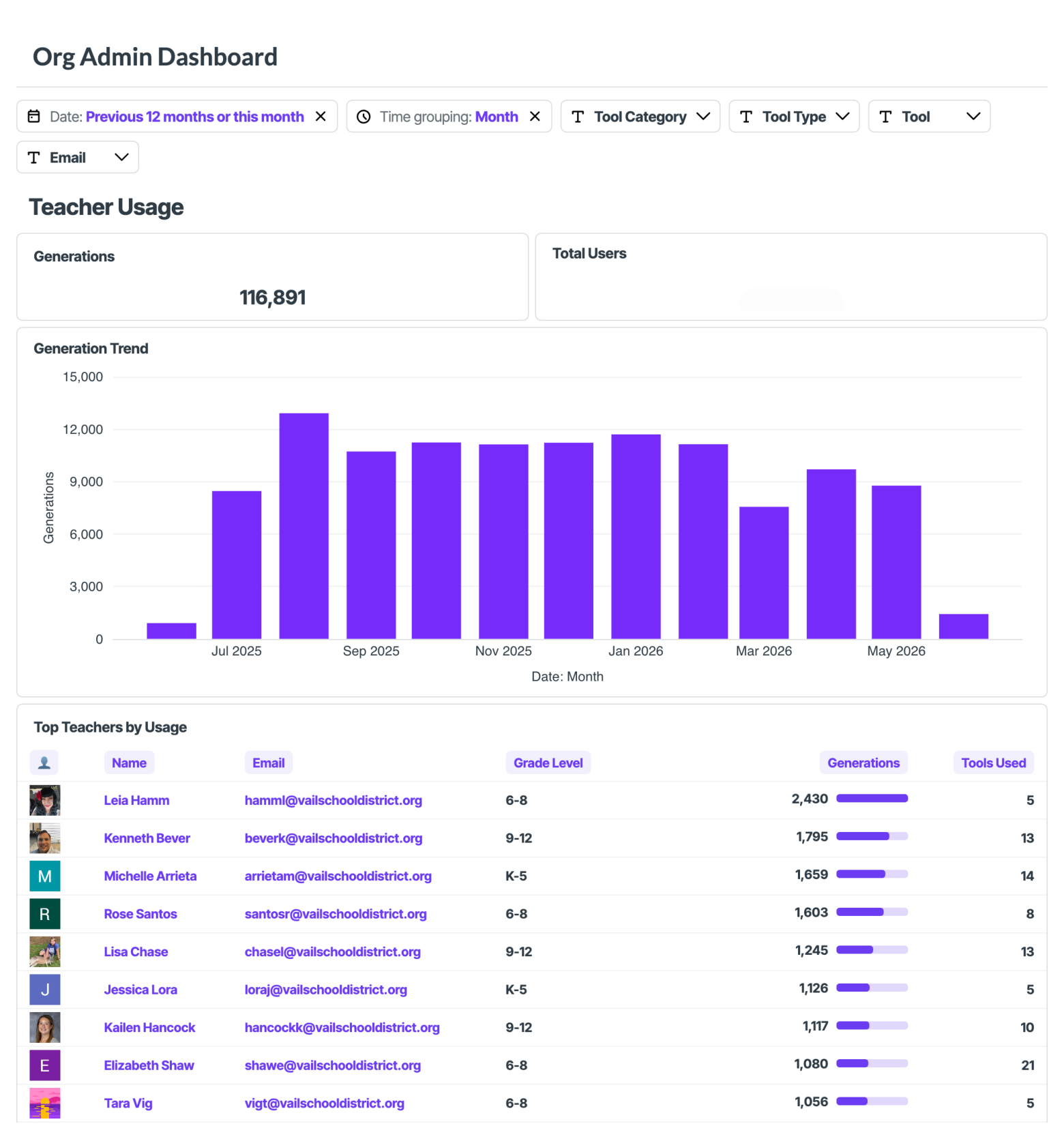
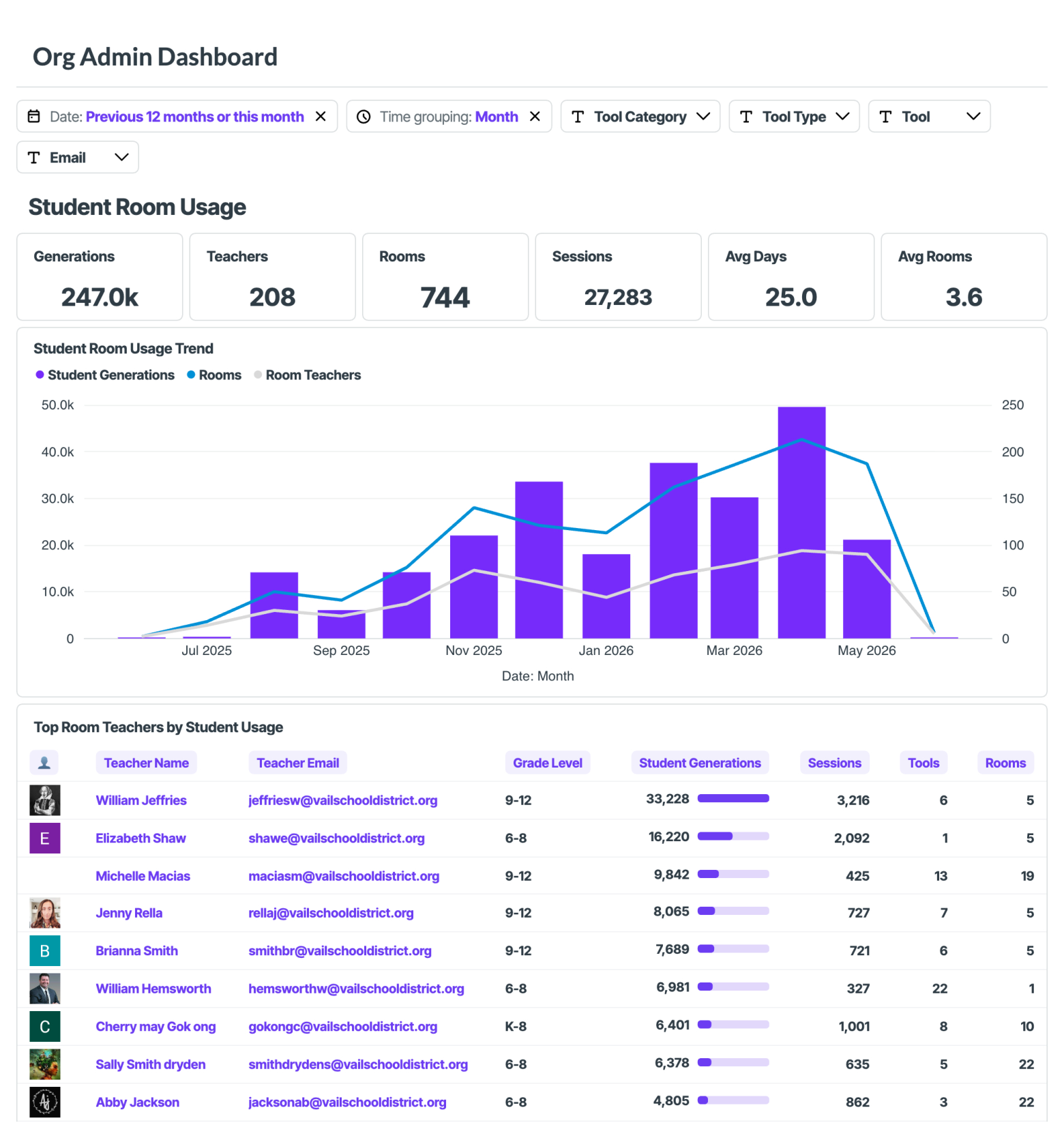
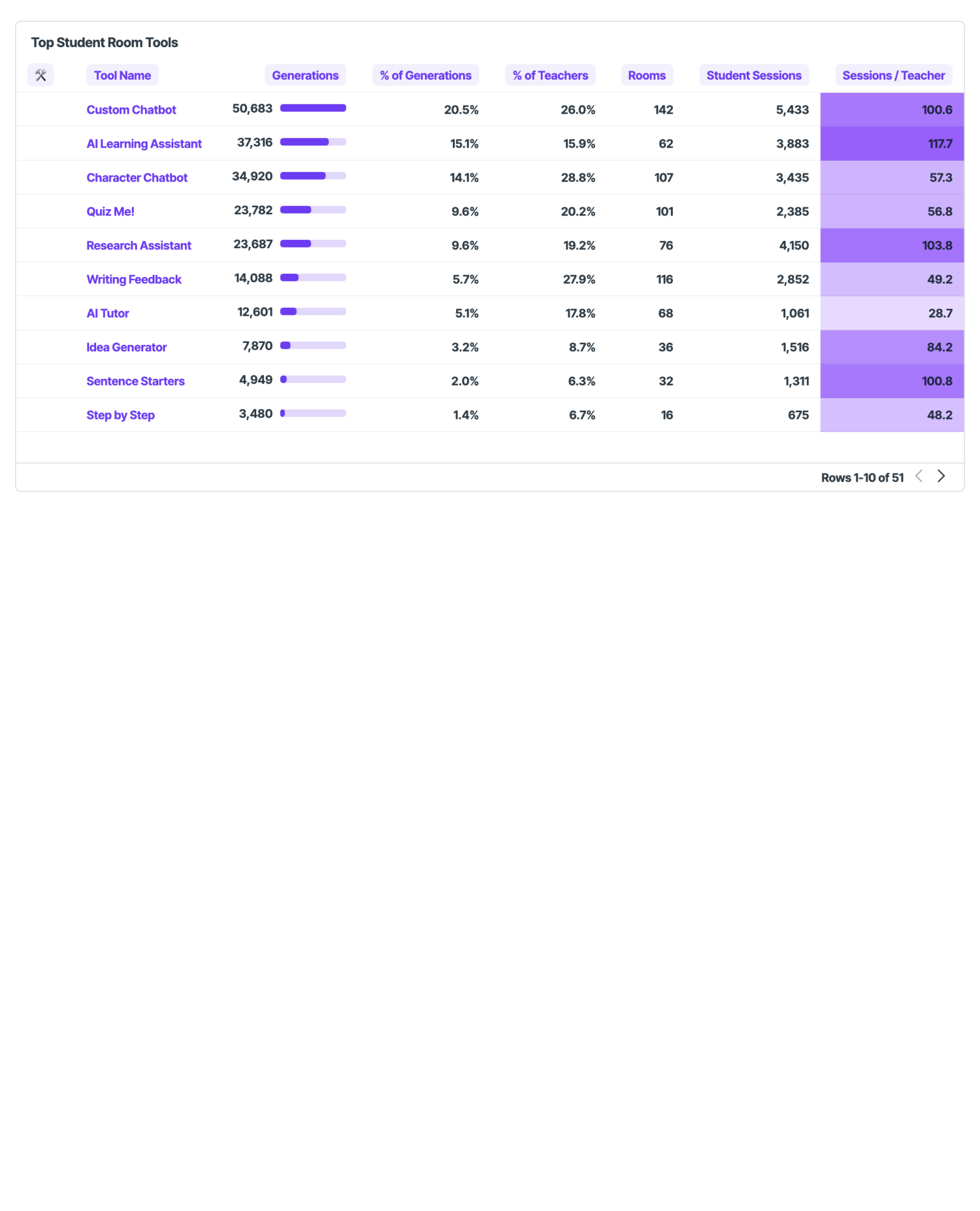
Sustained growth from the July 2025 soft launch to peak usage in March 2026 (30,000+ student generations). Open the full dashboards: Teacher · Student.
Families & Academic Integrity
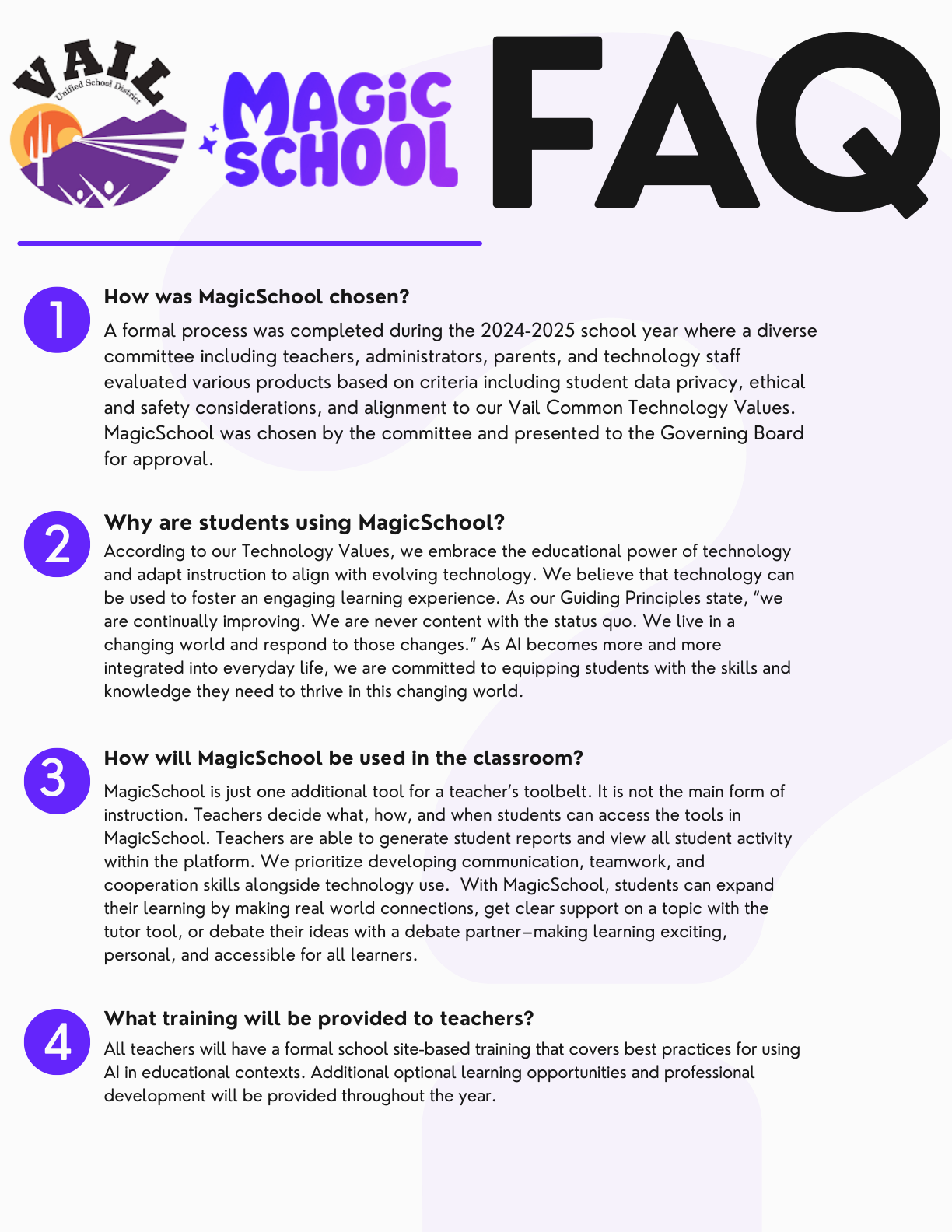
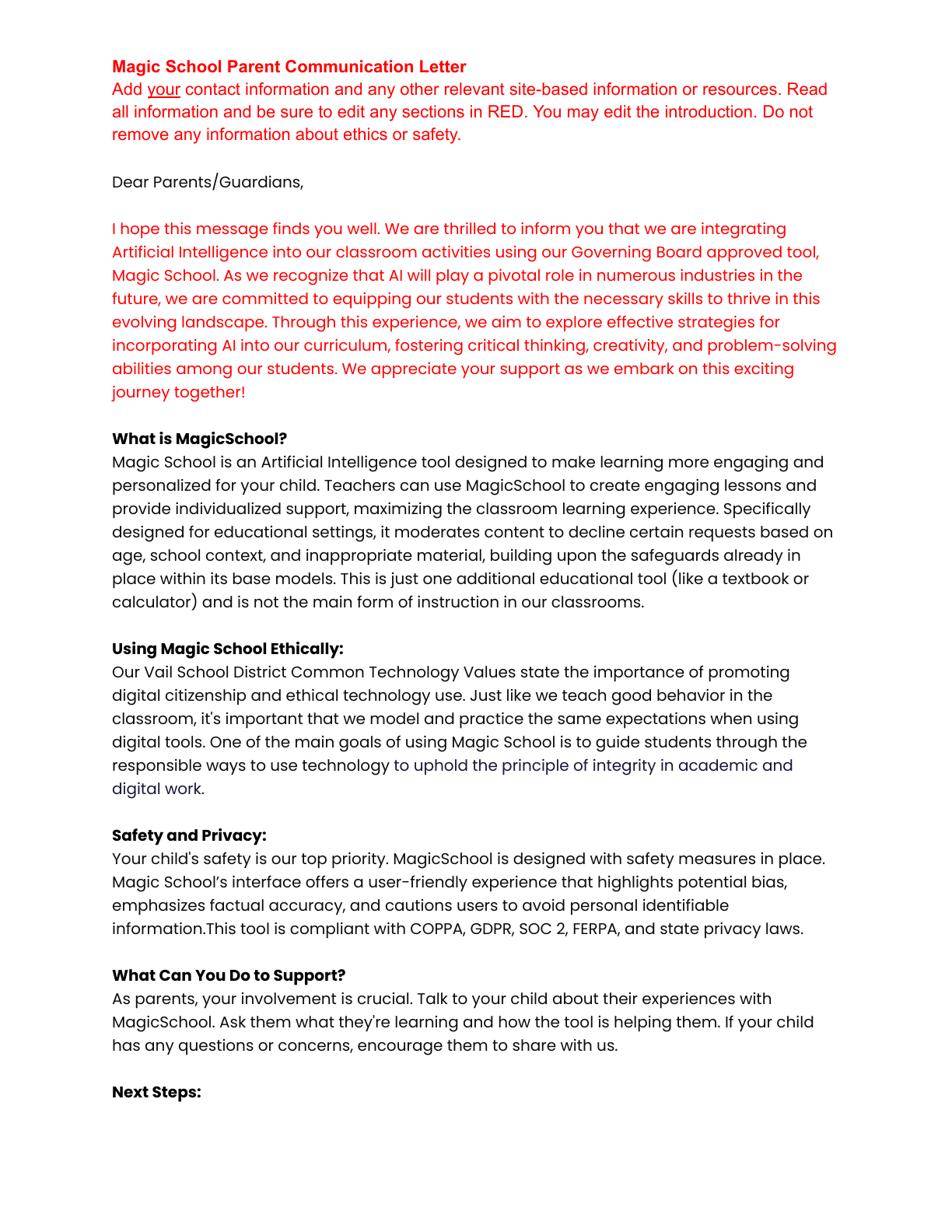
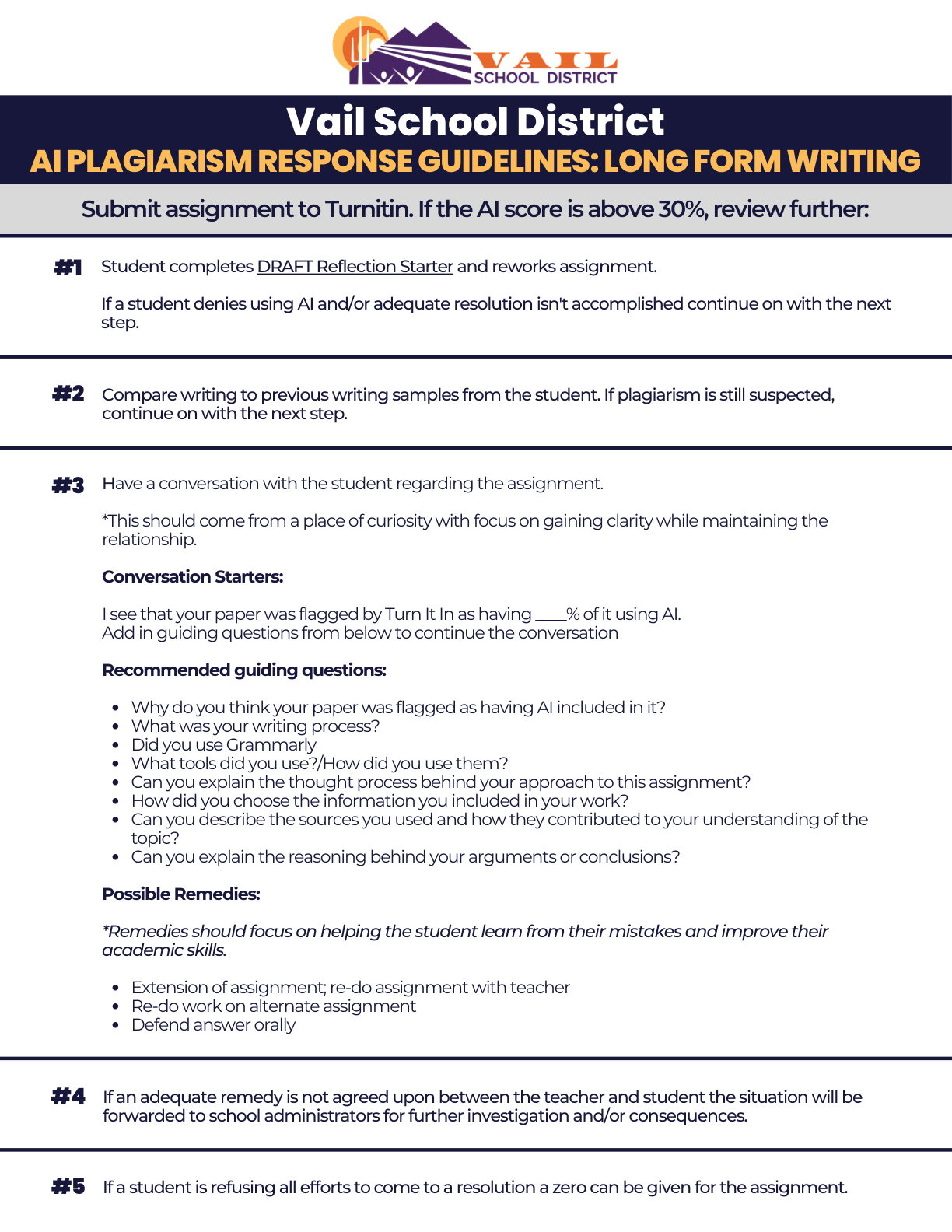
Families also receive Common Sense Media resources, and a Vail Digital Citizenship Parent Night reinforces online safety and AI literacy.
Sustainability & Scalability
Site representatives deliver ongoing PD to colleagues — sustainability without external resources — and track each site's progress.
Community-built, board-approved values guide decisions regardless of how the technology evolves.
MagicSchool integrates with Schoology (LMS): single sign-on, teacher-controlled tools, full activity visibility.
Flowcharts, training slides, parent templates, contracts, lesson templates, and rubrics other districts can adopt.
Partnership with the AZ AI Alliance and Beyond Textbooks extends the model to districts across Arizona.
Policies are reviewed at least annually — "we reserve the right to update these policies as advancements are made."
Project Documents
Every framework, dashboard, training resource, and family communication referenced above — open or download below.